Missing emails? You need Safelisting!
If you are struggling to get emails from a particular email address – meaning they land somewhere other than your email inbox, this is what you need to know to solve the problem.
What is Safelisting?
Safelisting is telling your email service that you want to receive email from specific email addresses. Once in a while (and sometimes more often than that) one or several emails of our end may up in a promotions or junk folder. I would hate for you to miss out. But the good news is, you can do something about it now to prevent that from happening.
The term whitelisting is an older term that refers to the same thing as safelisting.
Below are some steps you can take, depending on your email service provider, to make sure that you get your emails.
Who is your email provider?
Gmail
If you have Gmail, here is a quick fix to make sure you get your emails.
Head to a desktop or laptop and find an email from that went through to your email, regardless of where it ended up.
If it is in the promotions folder, drag it to the primary folder.
After you do this, a pop-up will appear that asks if you want to move all email from this sender to the primary folder from this point forward.
Click yes and do a happy dance because you won’t miss any more emails.
Unfortunately, it doesn’t work so well to safelist email addresses while you are on a mobile device, so push the easy button and grab a desktop/laptop for this quick fix.
Yahoo Mail
If you use Yahoo as your email provider, it is pretty easy to make sure messages you want to see land in your inbox and not somewhere else.
The first step is to open Yahoo Mail and get logged into your account.
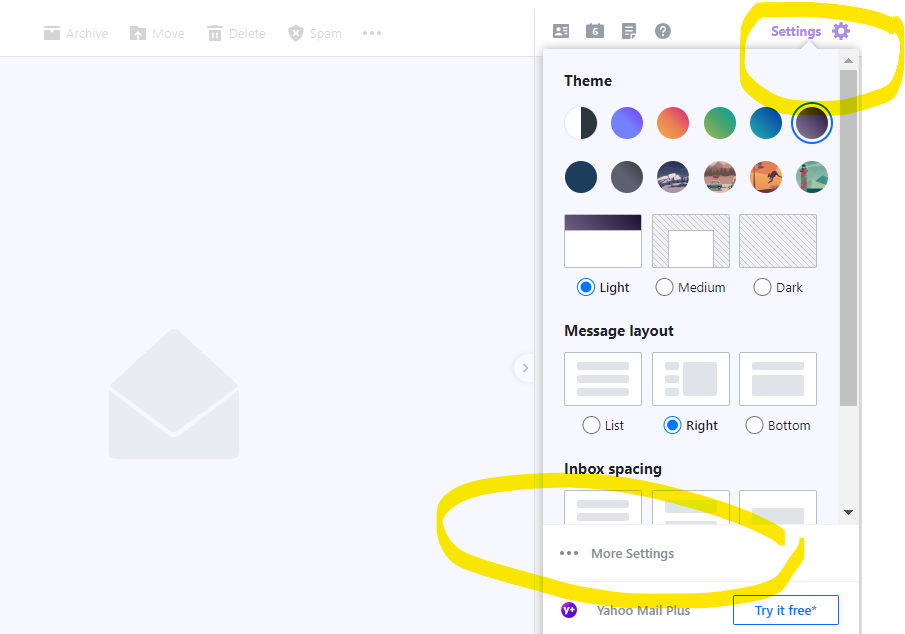
Then look for “Settings” in the upper right corner, and “More Settings” in the drop down menu when you click on settings.
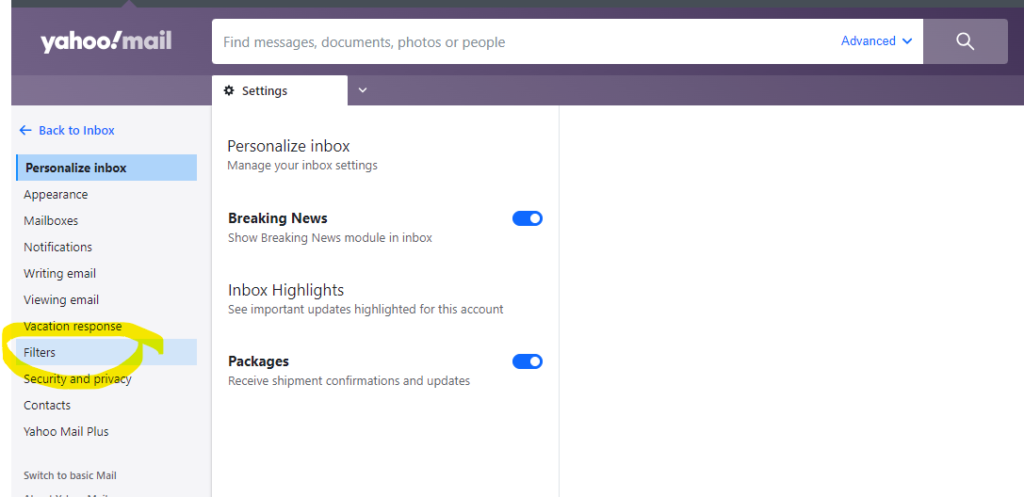
Next navigate to the Filters Menu on the left side.
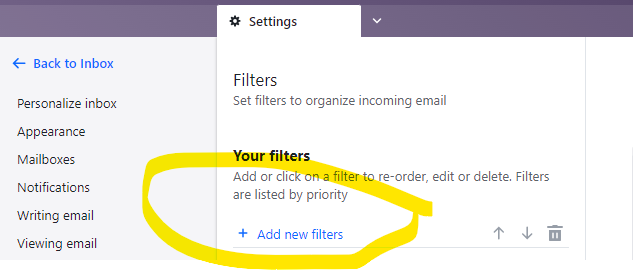
After you click on Filters you will have the option to add a new filter.
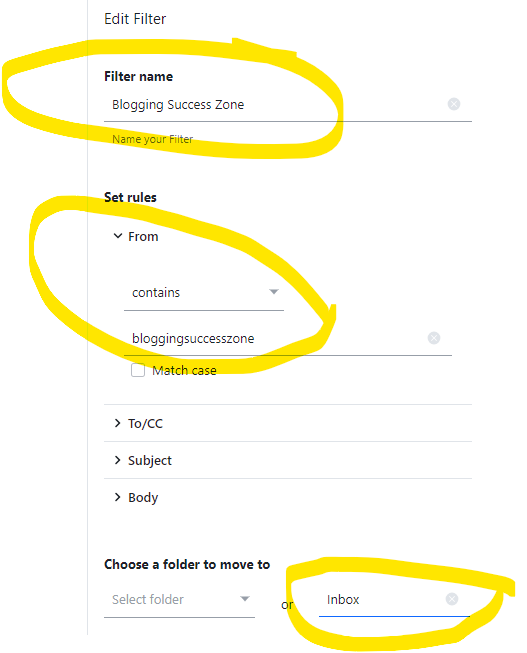
Then add a few details – 1.
- Name the filter
- Add the email address.
- Choose to send all mail to “Inbox” (need to type it in)
- Save your settings and you are good to go.